
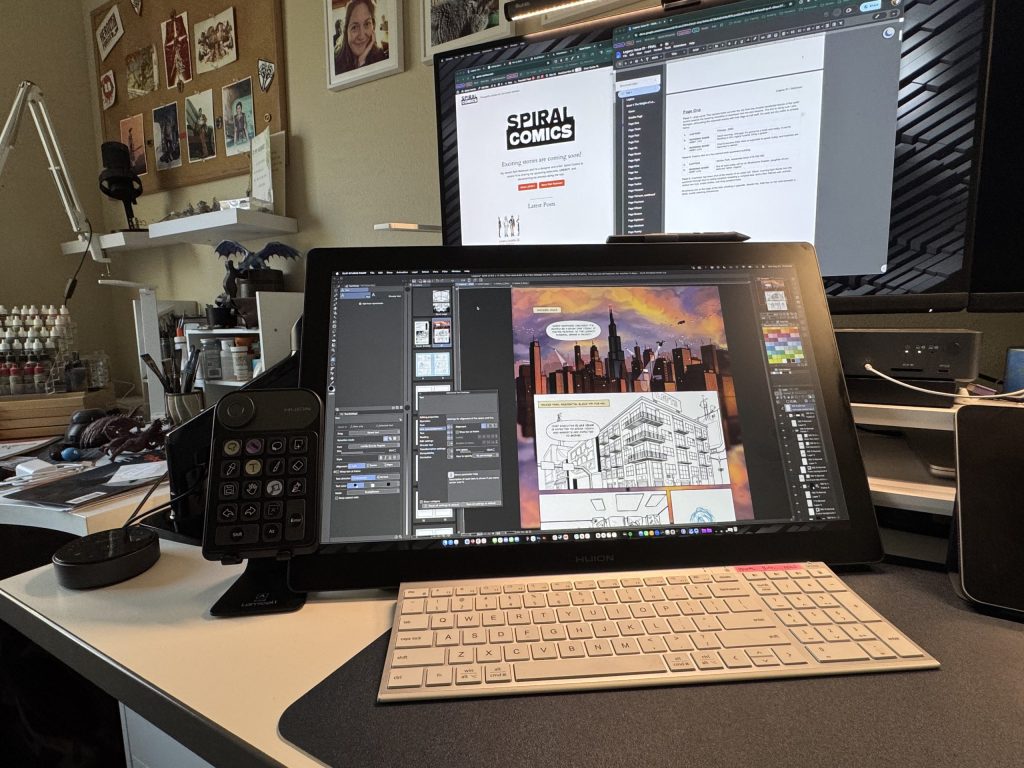
Hello again, folks! I’m back with another update for my upcoming webcomic series, Legacy. This week’s update might read like a fish out of water story with your humble writer / artist / colorist / letterer as the titular fish.
First, some good progress. I got myself a spiffy new pen display. For a while now, I’ve been looking for a way of capturing the ease and accuracy of drawing on my iPad with the power and features of my laptop.
New toys
Pen displays ain’t cheap. I spent a few months researching a variety of options to make sure I was stretching my dollars as far as possible and ultimately landed on a Huion Kamvas 22 Gen 3 display. It doesn’t have 4k resolution, and it doesn’t have a touch screen, but at about $600 (still pricey!), it also doesn’t have a comma in its price tag. What it does have, though, is a high refresh rate and enough screen real estate to make drawing feel smooth, natural, and not limited.
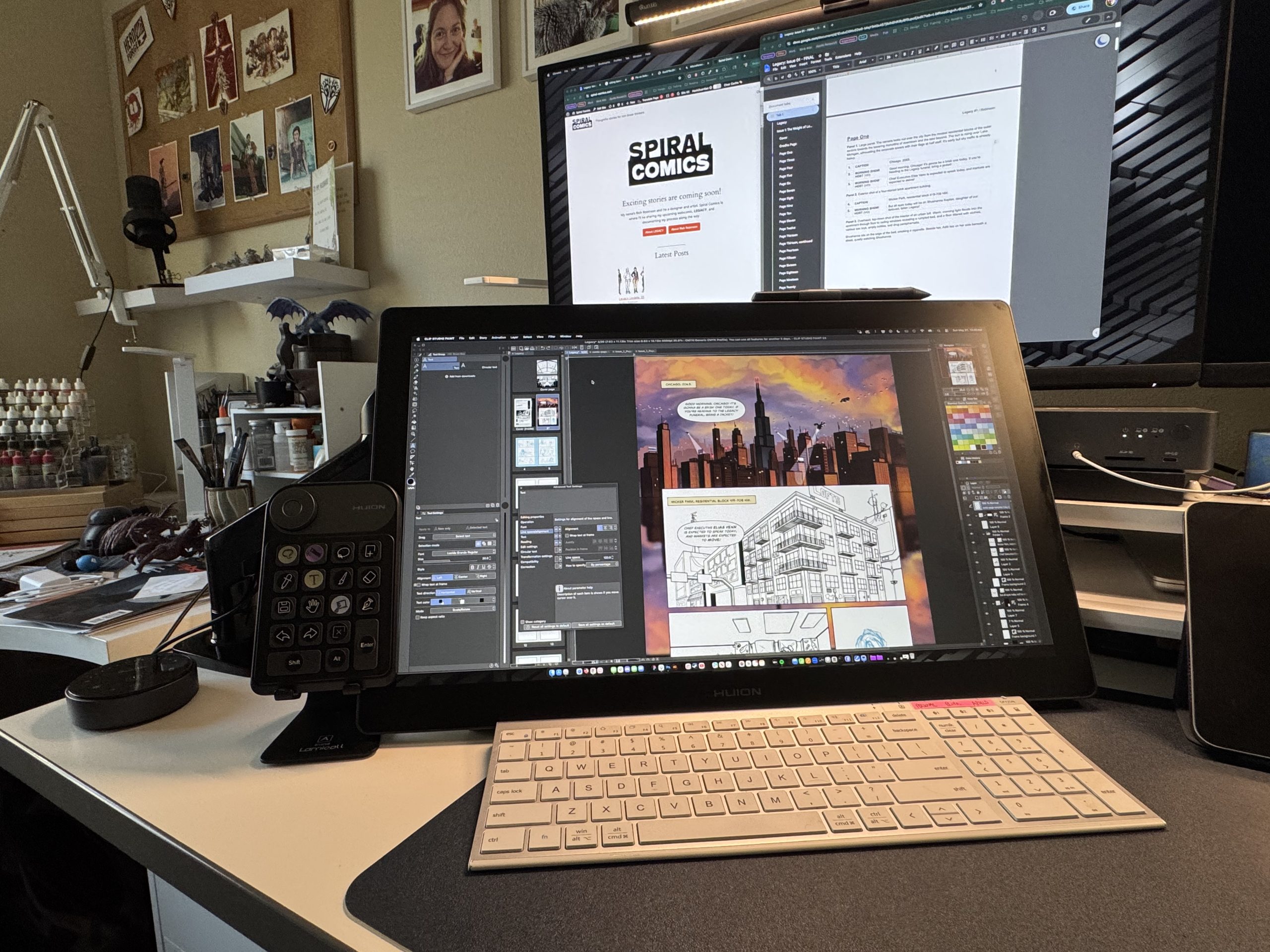
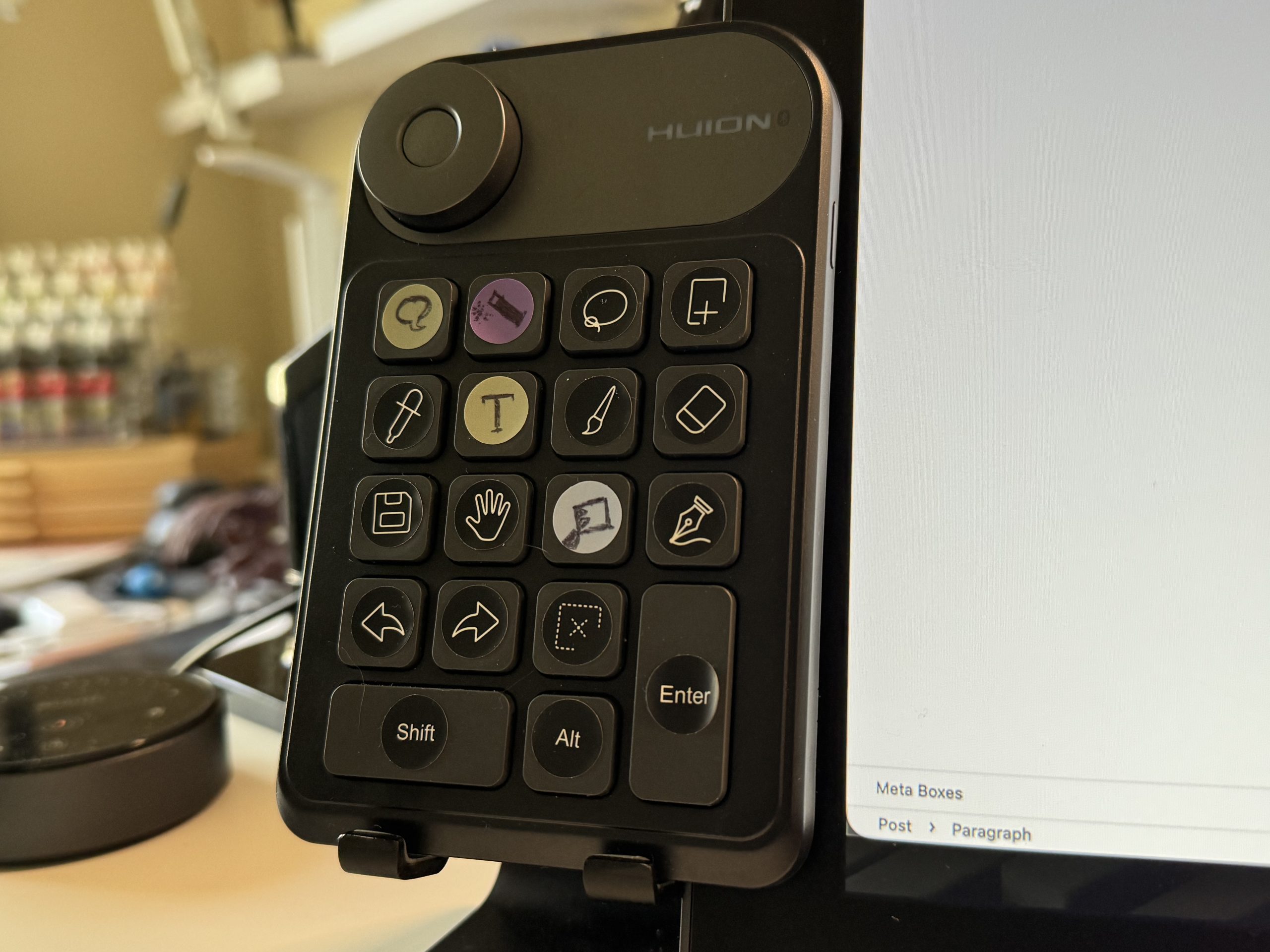
I also picked up what Huion calls a “Keydial Mini” so I can keep some of my commonly used tools and actions handy with my left hand while drawing with my right. It’s pretty nifty so far, but those stickies aren’t that sticky, and if they come off before I memorize what each button does, I may be screwed. 😅
New problems
Next comes the “out of water” bit. I’m a professional designer with more than 20 years of experience. For most of that time, I’ve used Adobe products for my work. But as a company, Adobe kinda sucks. They’re constantly pushing sloppy AI tools, their software feels simultaneously bloated and missing key features (seriously, how does Photoshop not have perspective grids?), and don’t get me started on their monthly subscription model. Maybe I’m old fashioned, but I like owning software and not renting it month-to-month.
For all of those reasons (and more), I’ve been trying to learn some new tools, primarily Clip Studio Paint. CSP seems to be designed with illustrators and comic artists in mind, which is fantastic. Its tools are powerful, and while its UI is familiar, it is just different enough to trip me up seemingly at every turn. I know I’ll get used to with time and practice, but it makes me feel like a complete beginner when I have to dig through 4 layers of menus to find out how to tighten the leading on a line of text.
Wrapping up
I guess I’m just an old dog trying to learn some new tricks. That said, feel free to leave any tutorials for CSP you might have in the comments.
Thanks for reading, and I’ll see ya next week!
0 Comments
Login